

Installing the Power Supply (AC/DC Converter)
-
Install the DIN rail mount power supply in the transformer control cabinet or any other weatherproof cabinet close to the transformer. Check that the
AC/DC converter fits with the input voltage of the LV network available in the control cabinet. Output voltage is 24 Vdc 10 W minimum.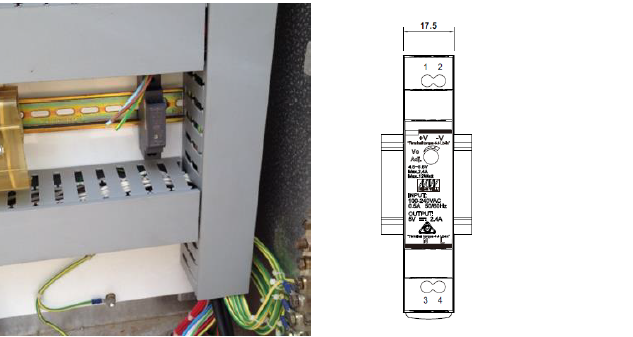
-
To help protect and isolate the system, add a 2 A circuit breaker to the supply line (not shown).
-
Run the power cable from the ETE connection to the installed power supply using flexible conduit.
-
Screw the 5-pin4-pin M12 socket-type connector of the power cable to the ETE ProbeETE Sensor.
NOTE: The red core on the cable provided is
connected to the +ve terminal, and the black core is connected to
the -ve terminal.
NOTE: The brown core on the cable provided is
connected to the +ve terminal, and the blue core is connected to the
-ve terminal.