

Locking the Device in Open Position with Keylocks
Description
Optional keylocks can be used:
-
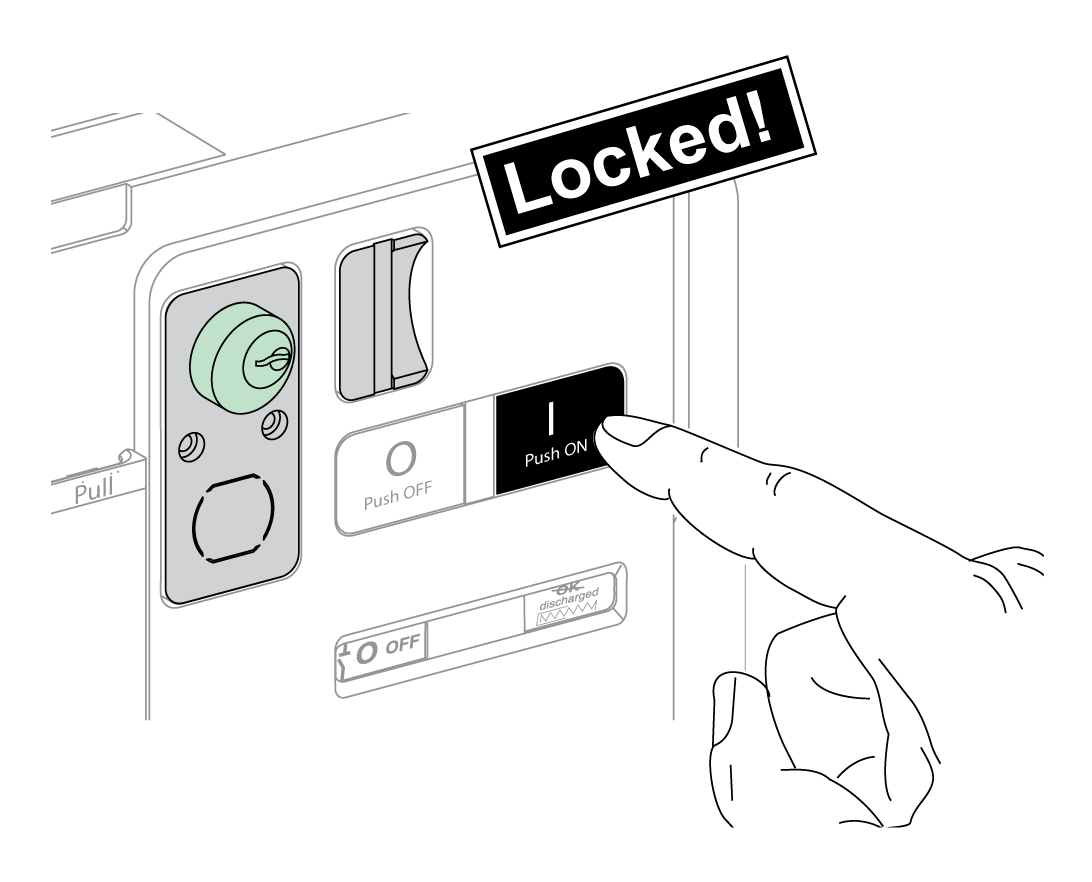
To lock one EasyPact MVS2 device in the open position. When locked the device cannot be closed either locally with the closing pushbutton or remotely.
-
To interlock several EasyPact MVS2 device locked with the same key.
To use keylocks to lock the device in the open position, an optional OFF-position locking accessory is necessary.
VSPO OFF-Position Locking Accessory
The OFF-position locking accessory is an optional accessory
that is mounted on the front of the device.
The OFF-position keylocking accessory can be fitted with one keylock.
The following types of keylocks can be fitted:
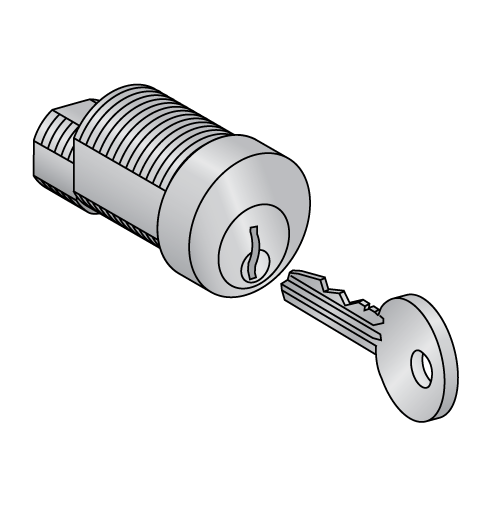
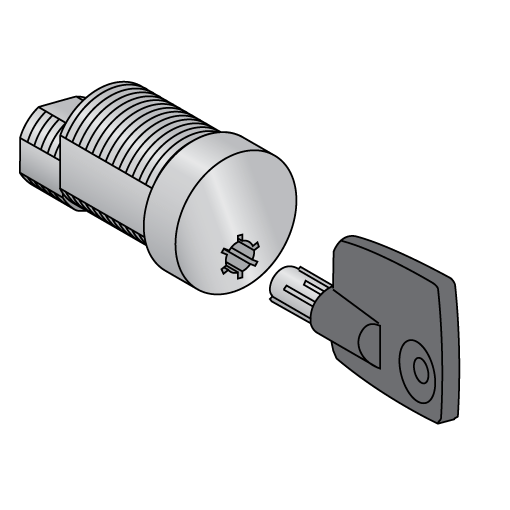
For information on the accessory installation, consult the instruction sheet on the Schneider Electric website: MVS21736.
Locking the Device in the Open Position
|
Step |
Action |
|
|---|---|---|
|
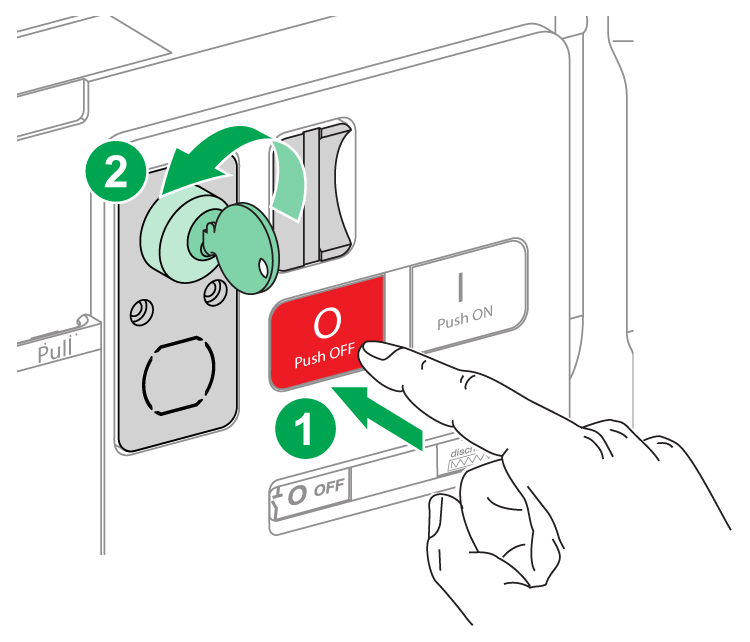
1 |
Press and hold the opening pushbutton. |
 |
|
2 |
With the opening pushbutton pressed, turn the key clockwise to lock the device. |
|
|
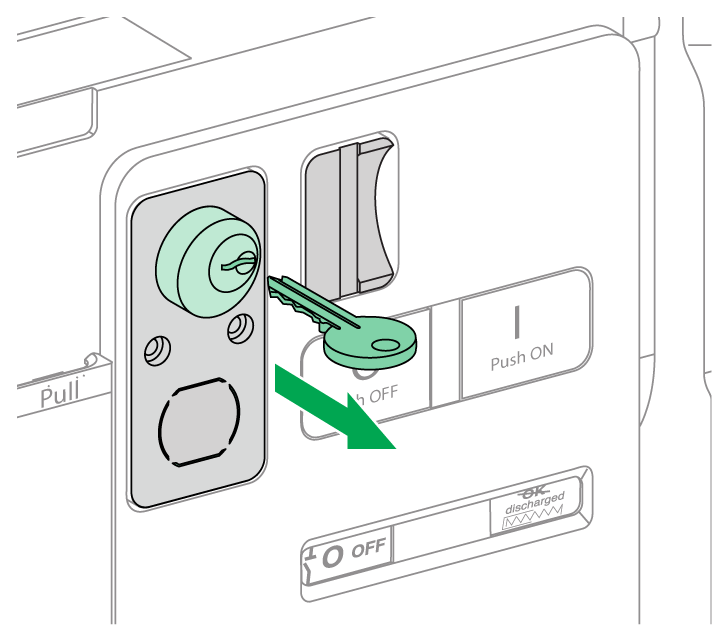
3 |
Remove the key. |
 |
|
4 |
Release the opening pushbutton. |
|
|
5 |
Check that the device is locked in the open position and cannot be closed either locally with the closing pushbutton or remotely. |
 |
Unlocking the Device
|
Step |
Action |
|
|---|---|---|
|
1 |
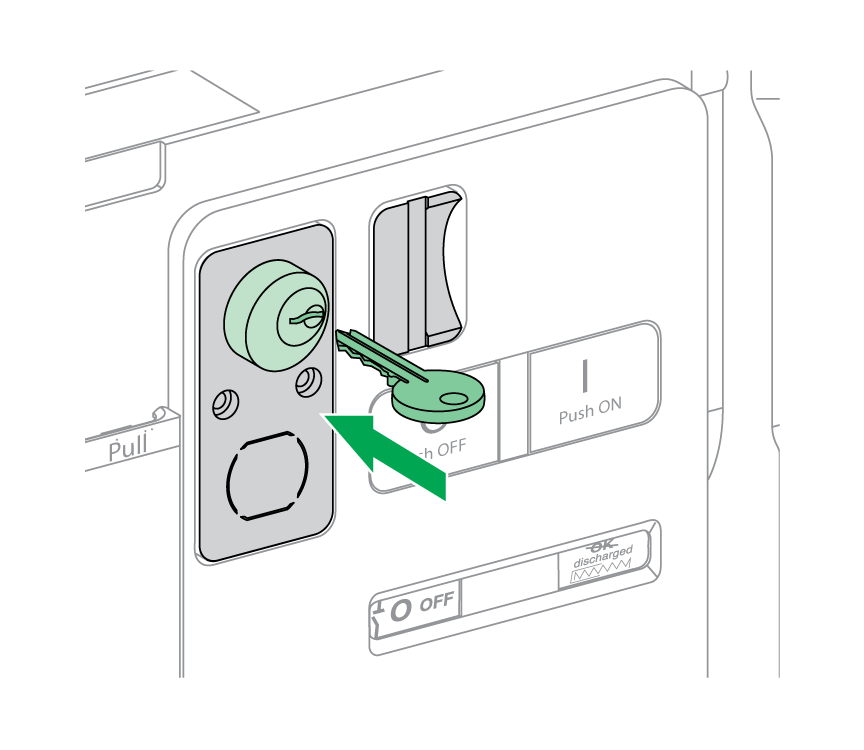
Put the key in the keylock. |
 |
|
2 |
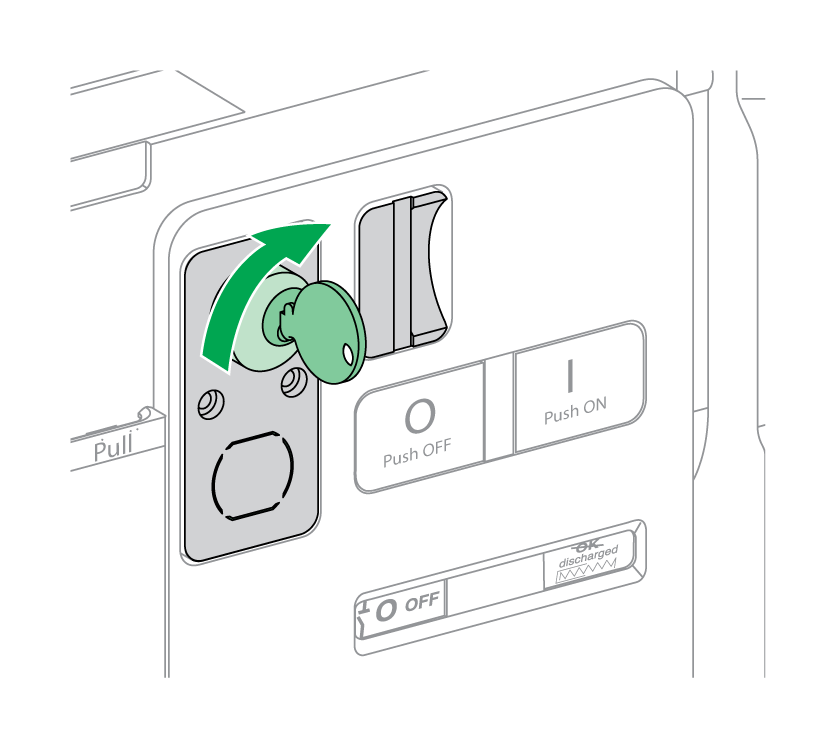
Turn the key clockwise to unlock the device. |
 |
|
3 |
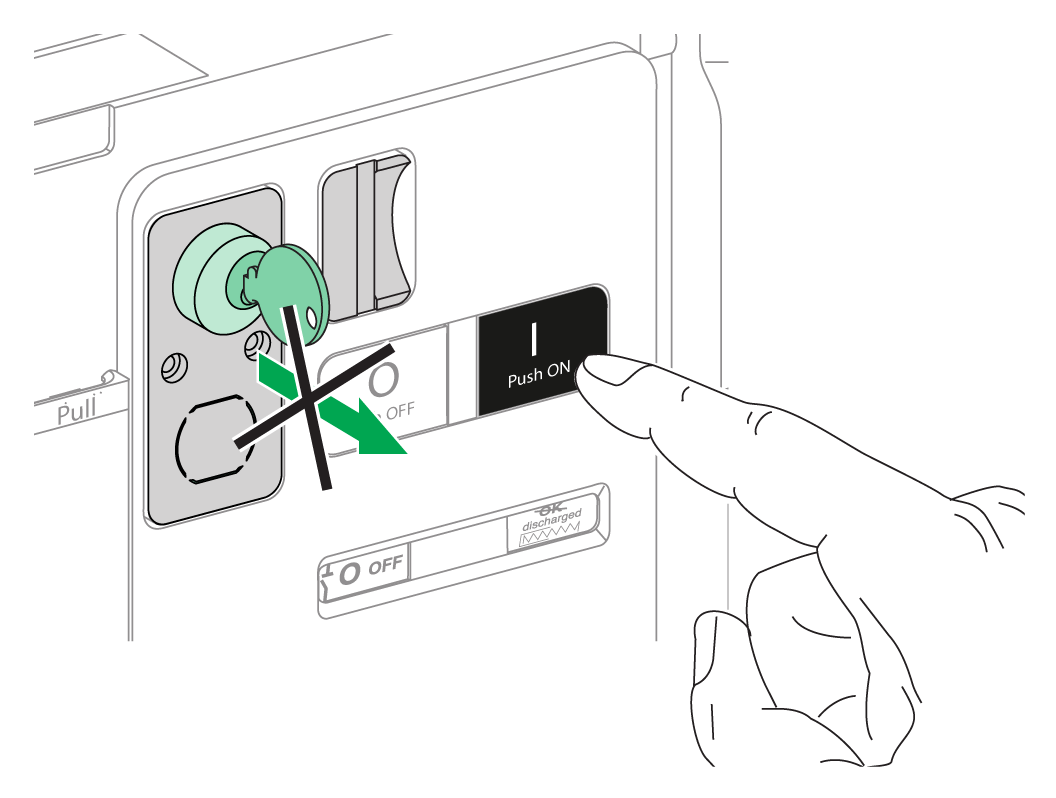
Press the closing pushbutton to close the device. NOTE: The key remains captive in the keylock.
|
 |