
Edit History
Edit History is a workflow button that displays on each of the work tabs (My Work, Available Work, and Assigned Work) within Session Manager in ArcGIS Pro. This workflow is available out-of-the-box (OOTB), and tracks the addition of new features, updates to existing features, and deletions. The benefit of the Edit History button is that it offers an easily readable list of all changes made within each individual session. To learn how your administrator can enable this functionality for users, refer to Edit History topic in the Editor XI Implementation Guide.
From any tab within Session Manager, select a session in the left side of the window, and the Edit History button appears above the session card alongside the Open Session, Reassign, and Delete buttons.

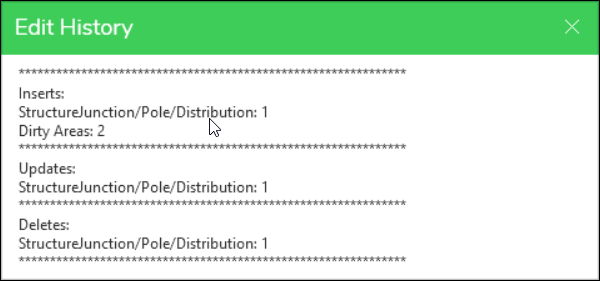
If an administrator has enabled this workflow, clicking the Edit History button might return results similar to the example below. Permitted users see a list of changes that are contained within the session. Notice the session contains a pole removal, updates to pole attributes, and a new pole placed.
If a user sees an empty list of changes as in the image below, it could mean that the session does not yet contain any edits, or that the workflow has not yet been enabled by your administrator.
