

General Diagnostics
Date/Time
|
Step |
Action |
|---|---|
|
1 |
Launch the PowerTag Link webpage in the web browser. |
|
2 |
Login with user name and password. |
|
3 |
Click . |
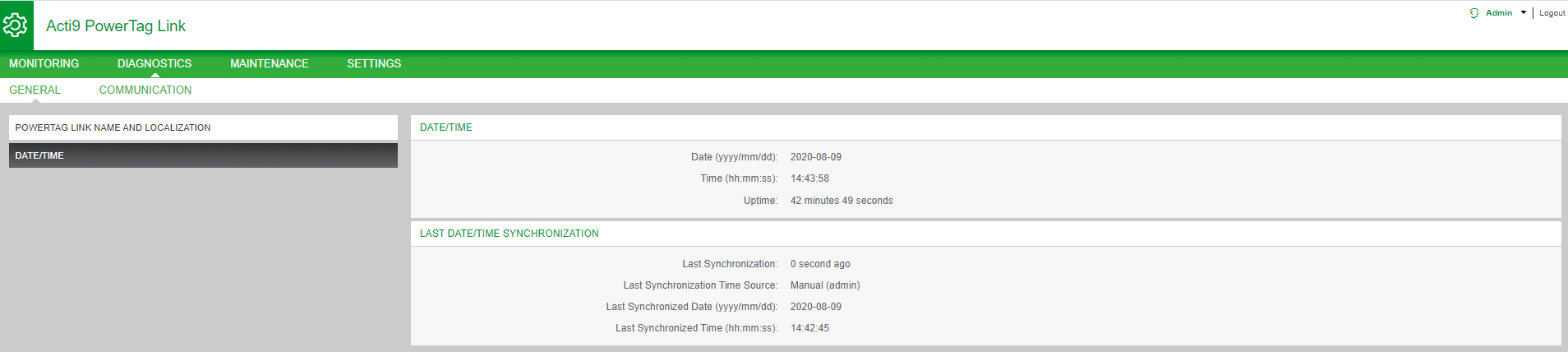
The Date/Time page displays the following information:
|
Parameters |
Description |
|---|---|
|
Date/Time |
|
|
Date |
Displays the current date in the format YYYY-MM-DD. |
|
Time |
Displays the current in the local time zone in the format hh:mm:ss. |
|
Uptime |
Displays the elapsed time since the last restart of the device. |
|
Last Date/Time Synchronization |
|
|
Last Synchronization |
Displays when the last synchronization happened. |
|
Last Synchronization Time Source |
Displays the time source of the last synchronization. |
|
Last Synchronized Date |
Displays the last synchronized date in the format YYYY-MM-DD. |
|
Last Synchronized Time |
Displays the last synchronized time in the format hh:mm:ss. |